azure, HTML, Web

Step-by-Step Guide to Deploy Azure Static Web Apps

Enjoy this post of me bringing myself back into some of the basics to better help me keep my solutions architecture reflex fresh (ha)!

Use Case: I need a static page to host a logout page when users leave the SSO experience to land them to a custom-tailored page where I can provide the right guidance and support language related to the app.

So, where to begin?

First, here are some prerequisites to success:

Next, let’s pull down from a basic starter code kit to save some time on creating it from scratch:

https://github.com/new?template_name=vanilla-basic&template_owner=staticwebdev
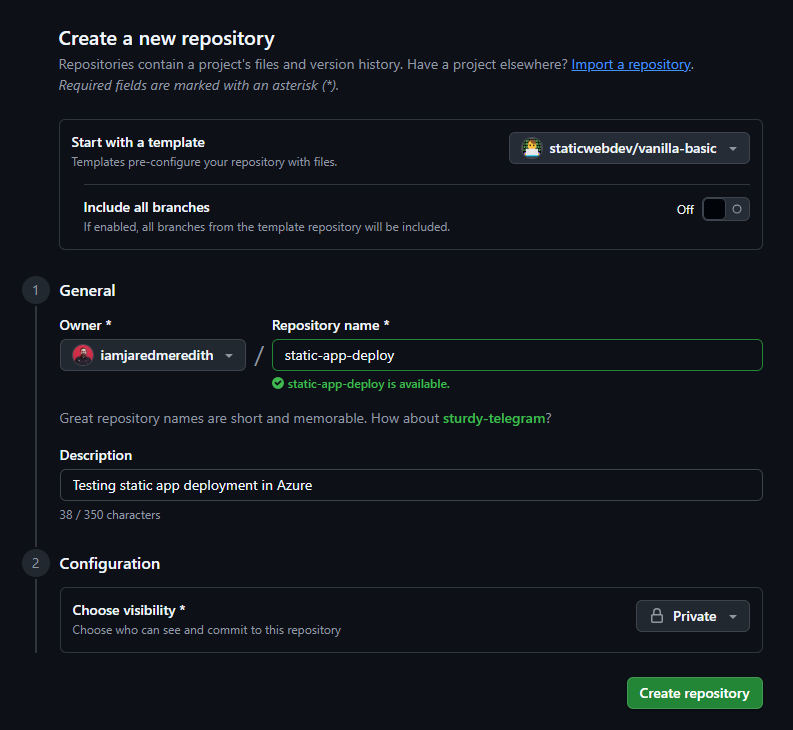
And boom, just like that a repo with stuff:

But what to do now? Well so far we now have code, but still need a destination and a means to deploy it.

For a destination let’s go onward to Azure:

  • Go to the Azure portal and sign-in
  • Select Create a Resource.
  • Search for Static Web Apps.
  • Select Static Web Apps.
  • Select Create.

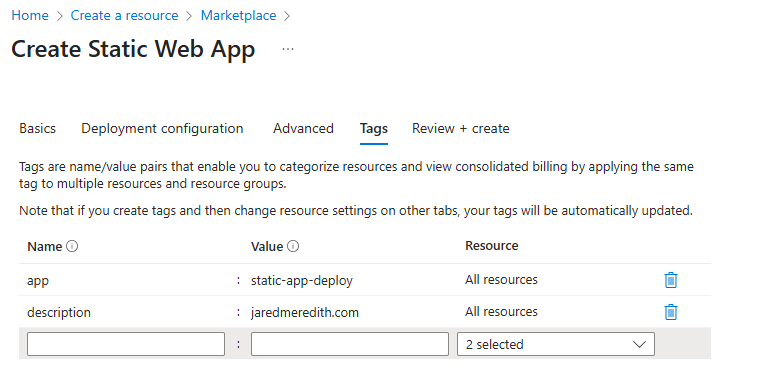
In the Basics section, begin by configuring your new app and linking it to a GitHub repository.

SettingValue
SubscriptionSelect your Azure subscription.
Resource GroupSelect the Create new link, and enter rg-static-app-deploy in the textbox.
NameEnter static-app-deploy in the textbox.
Plan typeSelect Free.
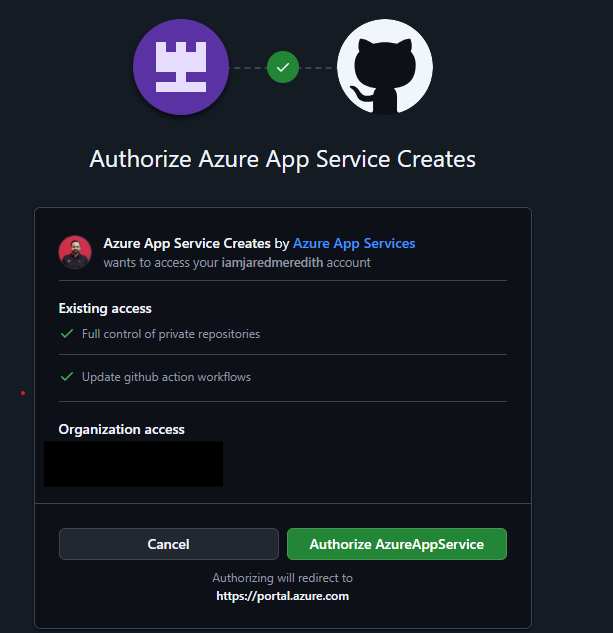
SourceSelect GitHub and sign in to GitHub if necessary.

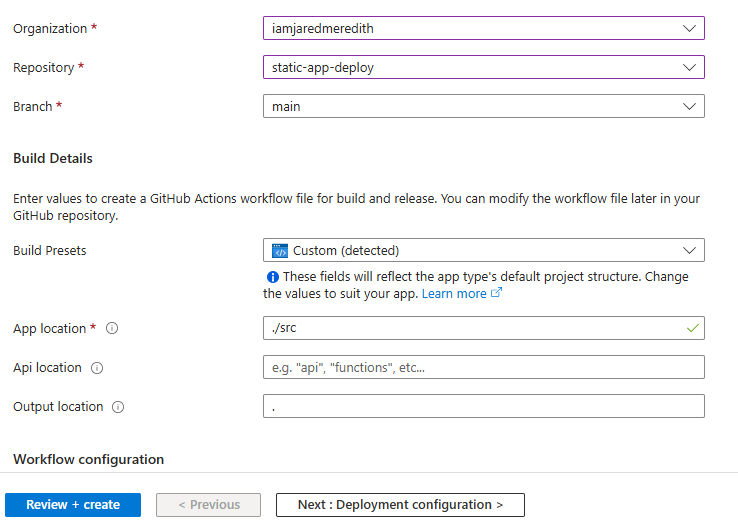
If necessary, sign in with GitHub, and enter the following repository information.

SettingValue
OrganizationSelect (your organization).
RepositorySelect (your repo name).
BranchSelect (your branch e.g. main).

Once you have completed the wizard then you should see a successful creation of your resource to deploy to. (there are CLI references for those who prefer that below).

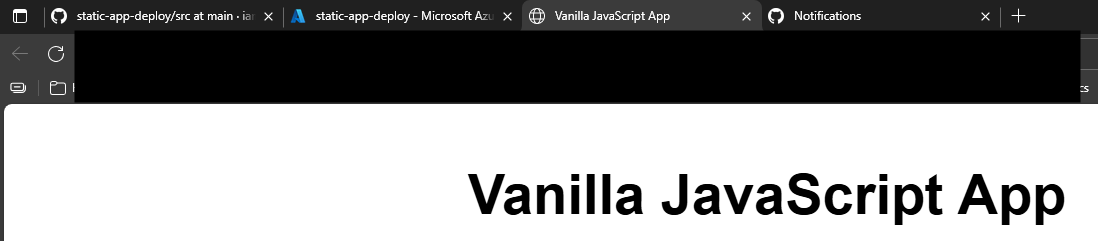
Your URL from the vanilla template should be live!
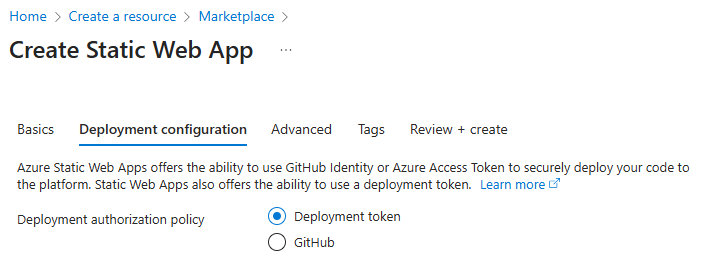
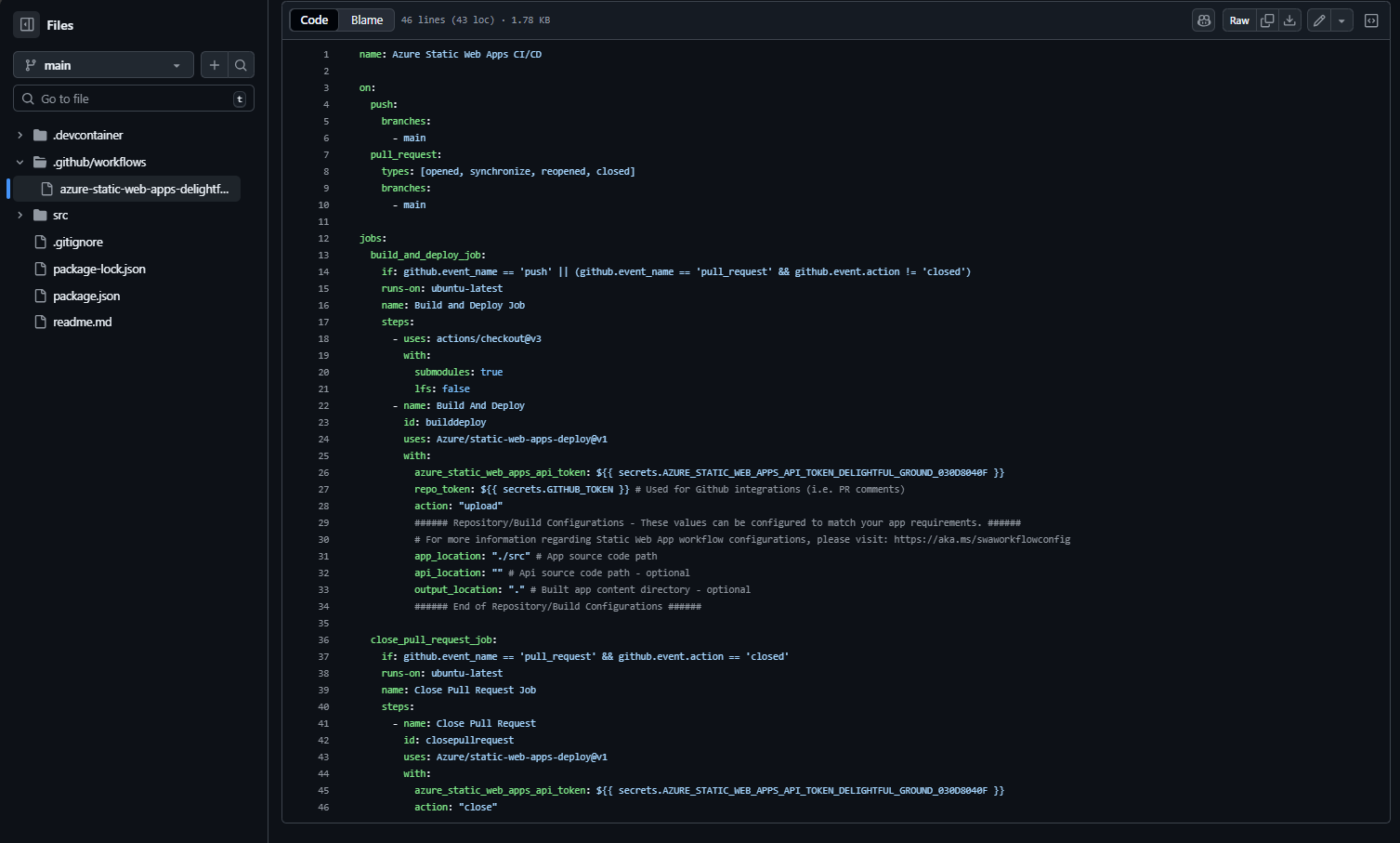
Within Github you can inspect the yaml that drove the deployment action (depending on what you pick for your token and deployment configuration this will vary):
You can also see where the secret is managed within Settings > Secrets and Variables > Actions:

Some extra credit -> want to add a custom domain to it?

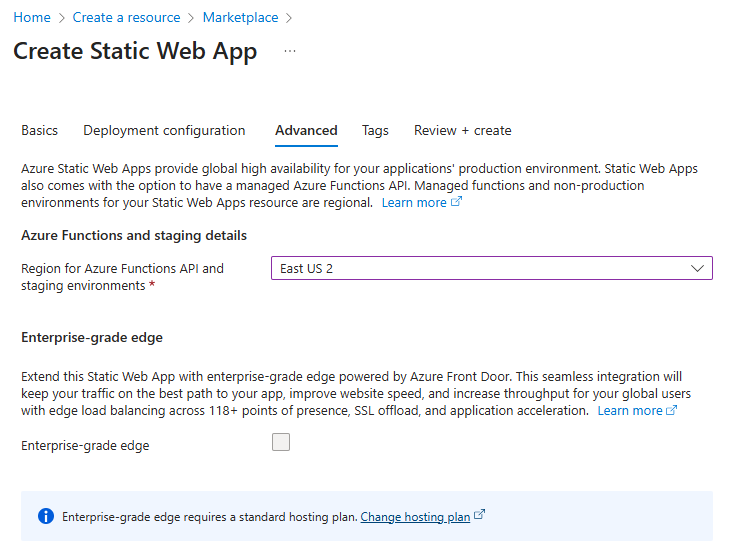
Additional extra credit -> you can also have the app be front-ended with Azure Front Door.

Finally, if you’re not going to continue to use this application, you can delete the Azure Static Web Apps instance through the following steps:

  1. Open the Azure portal.
  2. Search for static-app-deploy from the top search bar.
  3. Select the app name.
  4. Select Delete.
  5. Select Yes to confirm the delete action (this action may take a few moments to complete).

References:

Web

Remember the 5-9, not just the 9-5!

Me: (Joins a conference call)

Someone on call: “Hey, how are you?”

Me: “Good”

Also Me: (pondering if I just lied or not)

What did “Good” mean for that day?

Let’s review the last 24hr:

12:05 – 12:30 AM – kid diaper change, make a bottle, feed, rock, back in bed

12:30 – 4 AM – sleep

4:05 – 4:30 AM – kid diaper change, make a bottle, feed, rock, back in bed

4:30 – 7 AM – sleep

7:05 – 7:30 AM – kid diaper change, make a bottle, feed, playtime, handoff to help

7:30-7:50 AM – shower and change

7:50 – 8:30 AM – morning commute, catching up with friends and family

8:30 – 9 AM – meeting

9 – 10 AM – meeting

10 – 11 AM – meeting

11 – 11:30 AM – snack & break, catch up with kiddo

11:30 – 12 PM – meeting

12 – 12:30 PM – meeting

12:30 – 1 PM – break, catch up on emails and chats that haven’t been hit yet

1 – 2 PM – meeting

2 – 3 PM – meeting + (call during the meeting to check in on kiddo and plans for the evening)

3 – 4 PM – meeting (commuting home)

4 – 4:30 PM – meeting

4:30 – 5 PM – kid diaper change, make a bottle, feed, play, back in bed

5 – 6 PM – dinner, discussing tomorrow’s plans

6:30 – 7:30ish PM – diaper change, bath time, make a bottle, feed, play, back in bed

7:30ish – 10 PM – finish last touches on work, spend time decompressing

10 PM – 12 AM – trying to fall asleep 

After I thought about it, I probably could have said “tired” and ranted about it…but I also know folks are just trying to be nice.

All that to say, please be mindful of people’s 5-9. You never know what kind of schedule is happening outside 9-5.

Next time you ask someone how they are, remember that “Good” might have a lot more behind it.

Also remember that stress may be on people, even in their replies or tone. We must do our best to lead with empathy and understanding as much as we can accommodate. The more we do, the more I feel like people will return it in kind.

That’s all for now, carry on.

#worklifebalance #5to9 #mindfulness #newparent

Web

Presentation Now Available: The Power of Cross-Platform Automated Web-Based Testing in CICD Pipelines

Thanks again TESTINGMIND for the chance to speak and present – great job to the other presenters as well, learned a lot.

My presentation is now available here

#qaautomation #qa #qatesting #testingmind

View the session information from #TAS20 here: https://www.linkedin.com/posts/testingmind-consulting-pvt%2E-ltd%2E_last-week-we-completed-a-rally-of-software-activity-6722944641982971904-dxSD

Blog, CMS, Web, Wordpress

Enterprise Website Consolidation: What I Did, and Why You Should

When you are a responsible party concerning your companies’ websites, many challenges come up along the way. And one of the toughest challenges I have faced in my career supporting enterprise architecture was working with business partners to make an enterprise decision over an easy one.

The Problem: Over the course of weeks, my discovery revealed 25 separate websites across 5 different content management systems (CMS), hosted in 10 different servers and locations. Websites in the same CMS platforms were on different versions of the same CMS as well as infrastructure patching schedules. There was no form of source control nor any consistent configuration around the administration services. These complexities not only led to continual issues that had to be managed daily but in turn tied up development resources from focusing on other work. The conclusion was clear that over time the management of the web CMS systems and IT resources would continue to bloat cost and time to delivery on new projects.

What seems like the right idea: As these problems continue to come up, I recall this being presented in ideas and exploration, “Let’s just put more people on all of these to get them updated. The issue with the easy decision, however, is that the one-time fixes only prolong the root problems. You may have very sharp employees that are more than capable of knocking out these odds and ends jobs, but as any other updates begin to repeat themselves, the cycle repeats itself once more.

The Enterprise Solution: After all research had been done, the answer was clear: consolidating websites down into the same CMS would reduce the ongoing people support issues while improving the time to delivery on projects. The CMS itself needed to be a platform that allowed for scalability and ease of configuration. Finally, automation was going to be key in how it would assist in accomplishing operations and tasks that reduced unneeded internal labor.

The Results? 80% overall savings: After a 2 1/2-year transformation, 25 external websites were consolidated into WordPress via WP Engine. WP Engine was our manage services platform of choice, providing enterprise capabilities for all sites with a single pane of glass CMS management experience. Comparing against the 3-year cost-to-date prior spend of 1.5 million dollars we were able to move all sites and cover hosting in a single platform and cover it all 20% the cost. We not only realized cost savings to give dollars saved back to the business but was able to reallocate 2.5 FTEs worth of employees’ time onto other transformative efforts.

In addition, not only did we improve our hosting and patching automations, but we also enabled development pipelines from source control to have a controlled deployment strategy that went across multiple environments. This empowered a level of Quality Assurance testing and site monitoring we had yet to achieve.

Customer feedback: Our website editors and stakeholders were beyond thrilled to have only one editing experience to learn and use day to day. Our support teams were also happy, and our overall calls and reported issues were reduced!

Enterprise principles that supported my decision:

  • Consolidating competing CMS technologies allows for the management of a single platform
  • Leveraging a managed services platform allows a hands-off approach from development resources with ongoing maintenance; maintenance becomes core to the platform and is more easily managed
  • Developing your code within a source control platform allows for version management and prepares you to start considering your deployment strategies

Enterprise ROI savings can be realized by:

  • Retiring dedicated or hosting infrastructure
  • Reducing editor licenses in separate CMS systems
  • Removing extra 3rd party dependencies specific to an unneeded system
  • Removing unneeded external resources and/or support services costs to assist with troubleshooting
  • Leveraging your existing resources to be focused on new development and no longer in maintain mode

Regardless of your end decision on a specific product set to support your development team skillsets, one of the keys to drive repeatable enterprise development is to align decisions around simplifying management and driving automation of patching and version upgrades. CMS companies that thrive in licensing will nickel and dime you to bits on progress that you’ll never achieve with always fighting against yourself within their own products. If you’re not able to click less than 5-7 clicks to deliver a fully automated blank site to use, then reconsider your options. Make it a goal to center your platform decisions around their ability to leverage automation in how you can reduce unneeded activities. Automation will empower your staff to focus on new development.

HTML, JavaScript, Troubleshooting, Web, Wordpress

SOLVED: Contact form 7 Submission Won’t Send, Stuck on Spinning Wheel

In a recent update on WordPress CMS and my existing plugins I noticed that form submissions started slowing a bit on entries. In checking this I found that the form would attempt to submit but would stay in a spinning stage and never validate or submit it.

So, here’s what I did to update for a fix.

1) Head to the plugin editor, update the link below:

https://yourwebsite.com/wp-admin/plugin-editor.php?plugin=contact-form-7%2Fwp-contact-form-7.php&Submit=Select

2) Look for the section:

if ( ! defined( 'WPCF7_LOAD_JS' ) ) {
	define( 'WPCF7_LOAD_JS', true );
}

3) Update this to:

if ( ! defined( 'WPCF7_LOAD_JS' ) ) {
	define( 'WPCF7_LOAD_JS', false );
}

4) Clear cache and try your form again. a good way to see if the spinning wheel issue goes away is if your required fields respond.

Caveats:

  • The form will no longer send with ajax since you have disabled the javascript.
  • If you update the plugin in any way and have the problem again you will need to reapply this change.

You can keep up with the ongoing reference to this issue on Contact Form 7’s website.

10/30/20 Update – Should you want to get out of having to update the plugin directly, you can set a constant in your wp-config.php file to set it and forget it. Link below!