IIS, SharePoint, Troubleshooting

Help! Need Help Diagnosing A 500 Errors In SharePoint? Try This…

Imagine the nightmare…you decided to sneak in a web part deployment in right before the start of the business day. Right after your deployment you see that the site is about to come back up…and…then nothing. A blank screen. In desperation you open Internet Explorer to try and see if it loads there as well..nothing but a 500 error. Then, the feeling rushes over you that this was a very bad decision. While we should address why you were doing an early morning deployment we shall spare you. 🙂 So what do you do now?

One of the best ways to see what is going on with a 500 error is to enabled Failed Request Tracing in IIS for the web site in question. Once enabled you can replicate the issue by refreshing the browser a few times; this should be more than enough to capture a few. Once captured then you will usually see where the issue is identified (especially with web.config changes that happen).

To do this:

1) Open IIS

2) Select the web site in question and open the Features View

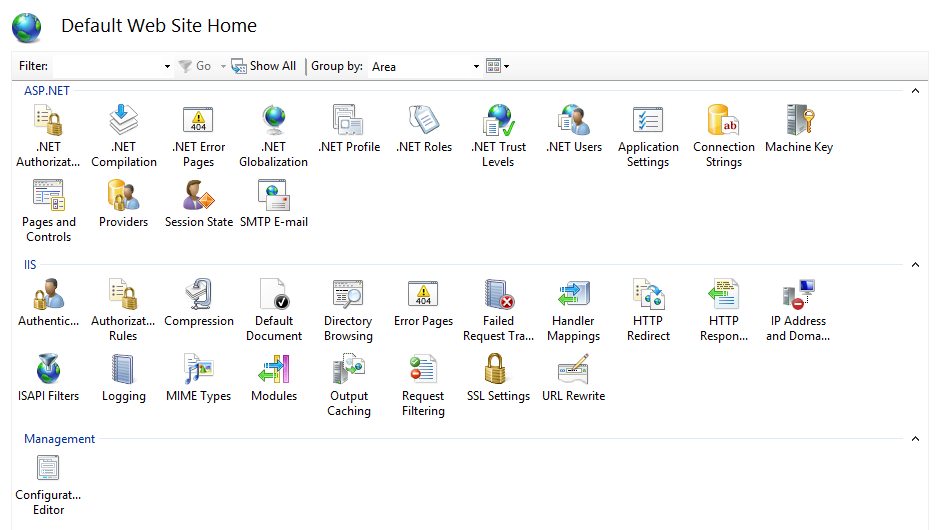
3) Under the IIS section select “Failed Request Tracing” by double-clicking it

FRT1

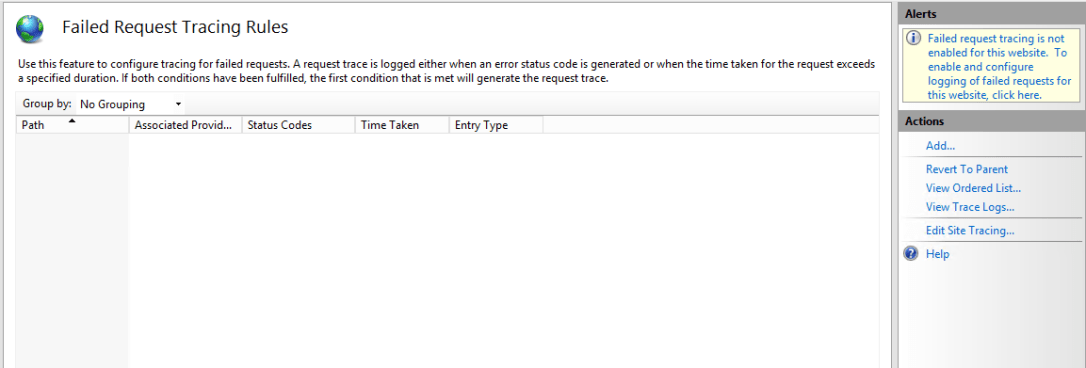
4) In the top right hand corner click the message in the Alerts section
FRT2

5) When the pop-up comes up then select to enable and take the default directory (unless you need it elsewhere, then specify another location) and hit OK

FR3

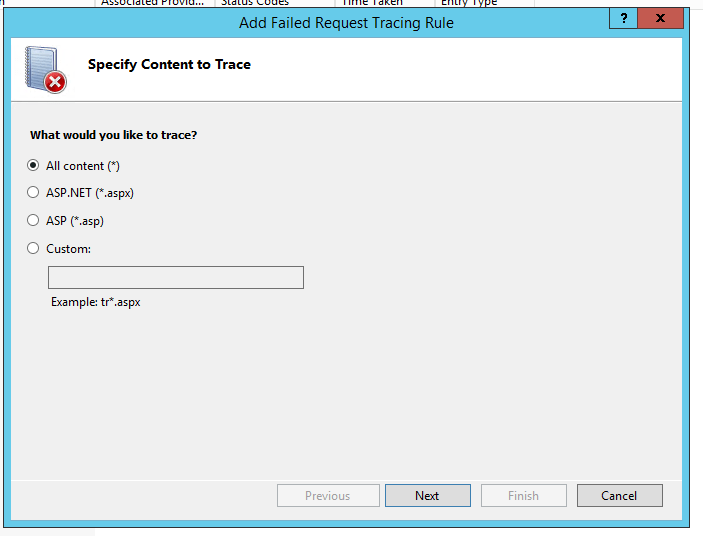
6) Next, under actions select “Add…” and select “All content (*)” and click Next
FRT4

7) Indicate the status code of 500 (and others where applicable) and click next again

Frt5

8) Indicate your trace providers and click Finish
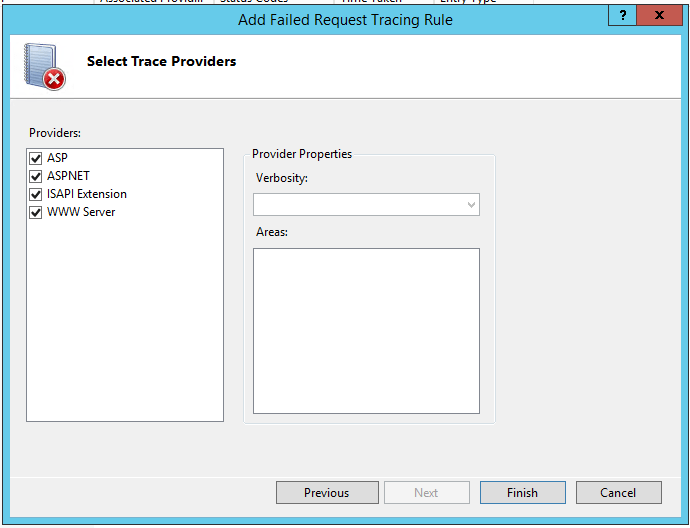
FRT6

You should now see your created Failed Request Tracing Rules.
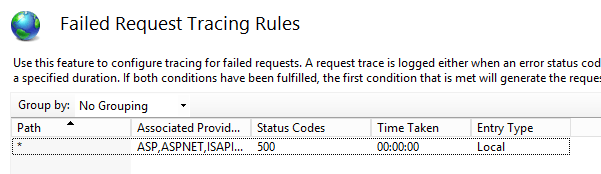
FRT7

Now go and refresh the browser a couple times to see your error again. Once that is logged then go to the trace logs. To find that location go back to the site in features view, select Failed Request Tracing and select “View Trace Logs…”

FR8

Double click to view the recorded log (you can use IE):

FRT9

Viewing these should at least help to identify the obvious when it is a line in the web.config or when there has been a setting changed as a result of saving a configuration option in SharePoint (or 3rd party products or web parts in SharePoint). Hope this helps, happy troubleshooting. Questions are always welcome.

 

.Net, C#, HTML, Office, Programming, VB, Web

Exporting asp:GridView Results To A Microsoft Excel Spreadsheet in VB/C#

I have received this requirement on more than one occasion so I thought it would benefit others if I posted these snippets. So here we go, let’s export a gridview as an excel file.

For starters let’s add a couple controls to the front-end aspx page:

 
<asp:Button ID="btnExport" runat="server" Text="Export Results To Excel" /> &amp;nbsp;&amp;nbsp;<br /><br />

<asp:GridView ID="grdSearch" runat="server" CellPadding="3" BackColor="White" BorderColor="#CCCCCC" BorderStyle="None" BorderWidth="1px">
 <FooterStyle BackColor="White" ForeColor="#000066" />
 <HeaderStyle BackColor="#006699" Font-Bold="True" ForeColor="White" />
 <PagerStyle BackColor="White" ForeColor="#000066" HorizontalAlign="Left" />
 <RowStyle ForeColor="#000066" />
 <SelectedRowStyle BackColor="#669999" Font-Bold="True" ForeColor="White" />
 <SortedAscendingCellStyle BackColor="#F1F1F1" />
 <SortedAscendingHeaderStyle BackColor="#007DBB" />
 <SortedDescendingCellStyle BackColor="#CAC9C9" />
 <SortedDescendingHeaderStyle BackColor="#00547E" />
 </asp:GridView>

I’m going to assume you know how to wire in your gridview to return results.

With that assumption in place here is the click event that performs the export (in VB):

You will need: Imports System.IO

Protected Sub btnExport_Click(sender As Object, e As EventArgs) Handles btnExport.Click
        Try
            Response.Clear()
            Response.Buffer = True
            Response.ClearContent()
            Response.ClearHeaders()
            Response.Charset = ""
            Dim FileName As String = "filename" + DateTime.Now + ".xls"
            Dim strwritter As New StringWriter()
            Dim htmltextwrtter As New HtmlTextWriter(strwritter)
            Response.Cache.SetCacheability(HttpCacheability.NoCache)
            Response.ContentType = "application/vnd.ms-excel"
            Response.AddHeader("Content-Disposition", Convert.ToString("attachment;filename=") &amp; FileName)
            grdSearch.GridLines = GridLines.Both
            grdSearch.HeaderStyle.Font.Bold = True
            grdSearch.RenderControl(htmltextwrtter)
            Response.Write(strwritter.ToString())
            Response.[End]()
        Catch ex As Exception
            ' Do something important here if you expect strange results
        End Try
    End Sub

Now in C#:

You will need: using System.IO;

try {
	Response.Clear();
	Response.Buffer = true;
	Response.ClearContent();
	Response.ClearHeaders();
	Response.Charset = "";
	string FileName = "filename" + DateTime.Now + ".xls";
	StringWriter strwritter = new StringWriter();
	HtmlTextWriter htmltextwrtter = new HtmlTextWriter(strwritter);
	Response.Cache.SetCacheability(HttpCacheability.NoCache);
	Response.ContentType = "application/vnd.ms-excel";
	Response.AddHeader("Content-Disposition", Convert.ToString("attachment;filename=") + FileName);
	grdSearch.GridLines = GridLines.Both;
	grdSearch.HeaderStyle.Font.Bold = true;
	grdSearch.RenderControl(htmltextwrtter);
	Response.Write(strwritter.ToString());
	Response.End();
} catch (Exception ex) {
	// Do something important here if you expect strange results
}

I realize you may not need some of the formatting that I used in this example so remove the Gridview related property assignments in the export snippet. Also, depending on how you format your gridview on the aspx page will dictate some of the formatting you have on the spreadsheet. Hope this helps, questions are welcome.

Email, Sitecore, Troubleshooting

How to deal with: WARN An invalid character was found in the mail header: ‘,’ in Sitecore

If you are using Web Forms for Marketers in Sitecore then you may have an occasion where the email addresses that are being used to send messages to get updated by someone…then all of a sudden you start getting errors…then all of a sudden your phone starts ringing off the hook, right?

So in the Sitecore logs you will see something similar to:

 868 13:12:53 WARN An invalid character was found in the mail header: ','.
Exception: System.FormatException
Message: An invalid character was found in the mail header: ','.
Source: System
 at System.Net.Mail.DotAtomReader.ReadReverse(String data, Int32 index)
 at System.Net.Mail.MailAddressParser.ParseDomain(String data, Int32& index)
 at System.Net.Mail.MailAddressParser.ParseAddress(String data, Boolean expectMultipleAddresses, Int32& index)
 at System.Net.Mail.MailAddressParser.ParseMultipleAddresses(String data)
 at System.Net.Mail.MailAddressCollection.ParseValue(String addresses)
 at System.Net.Mail.Message..ctor(String from, String to)
 at System.Net.Mail.MailMessage..ctor(String from, String to)
 at System.Net.Mail.MailMessage..ctor(String from, String to, String subject, String body)
 at Sitecore.Form.Core.Pipelines.ProcessMessage.ProcessMessage.GetMail(ProcessMessageArgs args)
 at (Object , Object[] )
 at Sitecore.Pipelines.CorePipeline.Run(PipelineArgs args)
 at Sitecore.Form.Core.Submit.SubmitActionManager.ExecuteSaving(ID formID, ControlResult[] list, ActionDefinition[] actions, Boolean simpleAdapt, ID sessionID)

Huh? OK, so let’s go look at the Web Form Send Email action in question:

ss1wffm

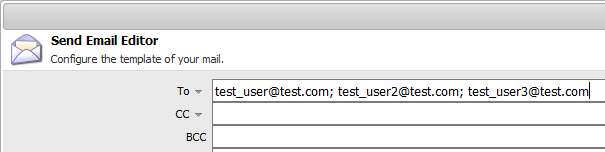
Nothing looks odd at first…until upon further research: I discovered after some reading about mail headers that the last entry of the recipients (To, CC, BCC) cannot accept a separator delimiter as a character on the end. You’ll also notice in outlook and other email clients that the behavior is the same.

The fix? remove the last character and save/republish your form. Problem solved!

ss2wffm

Hope this helps. Questions are welcome!

HTML, JavaScript, Web

JavaScript HTML Redirect To Another URL

There may be cases where you don’t have as free of access to the meta information or web.config to set redirects in place. You can also do this with JavaScript!

Here’s the snippet (place this in between script tags in the body or applicable section in the body that allows HTML):

<script type="text/javascript">
    window.location.replace("http://www.yourexamplesite.com/some-other-page.html");
</script>

Hope that helps.